 Hisashi Space
November 10, 2026 · 13 min read
Claude Code vs Codex: Which Is Better? I Use Both Every Day, and Here Is the Setup

Claude Code vs Codex: which is better? I have watched the comparisons too, and I pay for both.
I made a video about how I use the two together.
This article has what the video has no room for: the plans and prices as the official pages list them today, the files that make Claude Code call Codex, the exact flags of codex exec checked against the installed version, a prompt you can copy for the drawing check, my own numbers, and what I did not test.

The short version
- Comparison videos give both tools the same task and score the result. Real work is not one task.
- Split your work into jobs (a start, many steps, an end) and moments (one question, one answer).
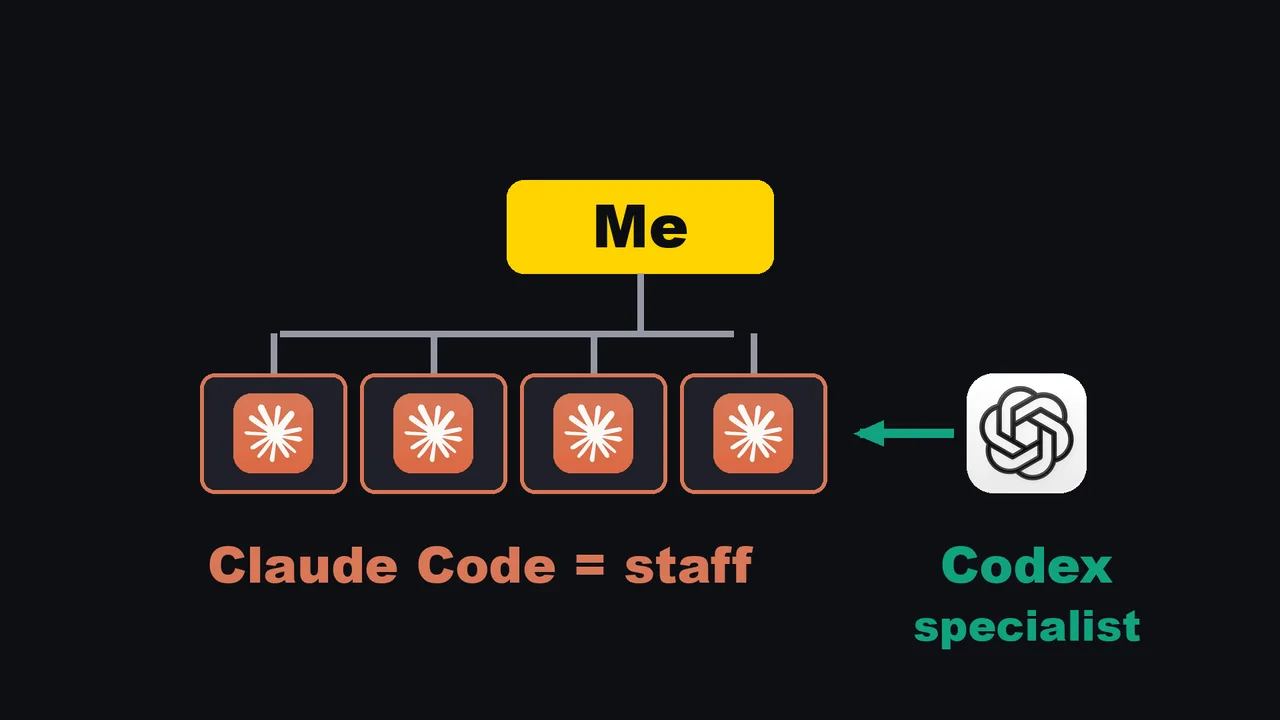
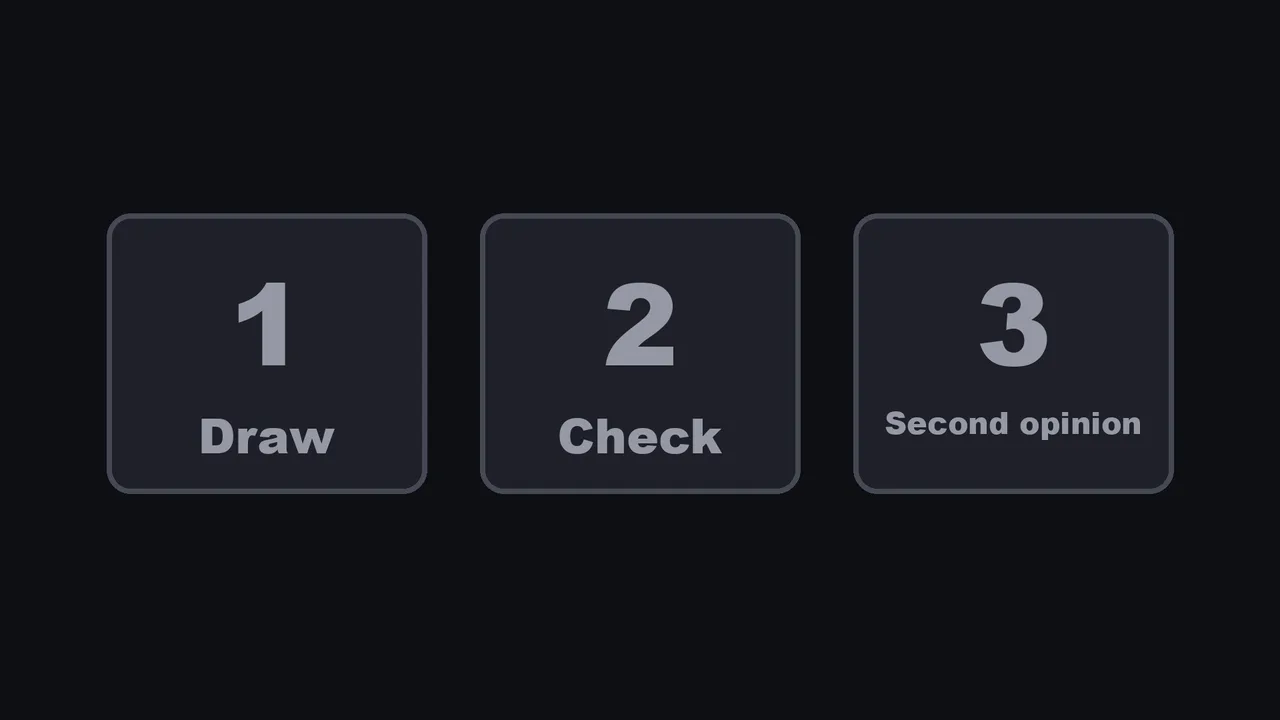
- I hand whole jobs to Claude Code. Claude Code calls Codex for moments: a drawing, a check of a drawing, a second opinion.
- Codex runs from the command line, and Claude Code can run commands. So Claude writes the question, runs Codex, reads the answer and carries on. I do not copy and paste between windows.
- Codex signs in with a ChatGPT account, so drawing does not add a bill per image the way a paid API would.
- If you want only one, start with the role you need most.
- If the same moment comes back every day, it has become a job. Hand it to Claude Code, and let Claude Code call Codex.
I have run my own company in Japan for 22 years. I have never asked whether my accountant is better than my designer. I ask which one a piece of work needs. The numbers and files below come from my Mac and from the official pages, which I read on November 10, 2026.
Why comparisons cannot decide this for you
A comparison video runs one task through both tools. One tool wins by a little, and next week a new video says the other one wins. The test is not wrong. The question is the problem, because your week is not one task.
It is made of two kinds of work:
| Job | Moment | |
|---|---|---|
| Shape | A start, many steps, an end | One question, one answer |
| Examples | Make the next video, close the books, run the blog | Draw this. Is this right? What is wrong with this plan? |
| Who does it in my setup | Claude Code, owned from start to finish | Codex, called in by Claude Code |
| How long it lives | Hours or days, with memory on paper | One call, then it leaves |
In a small company, this is the staff member and the designer. You do not ask which one is better. For me, Claude Code is the staff, and Codex is the specialist that Claude Code calls in.
The two sides, with my numbers
| What | Number | Where it comes from |
|---|---|---|
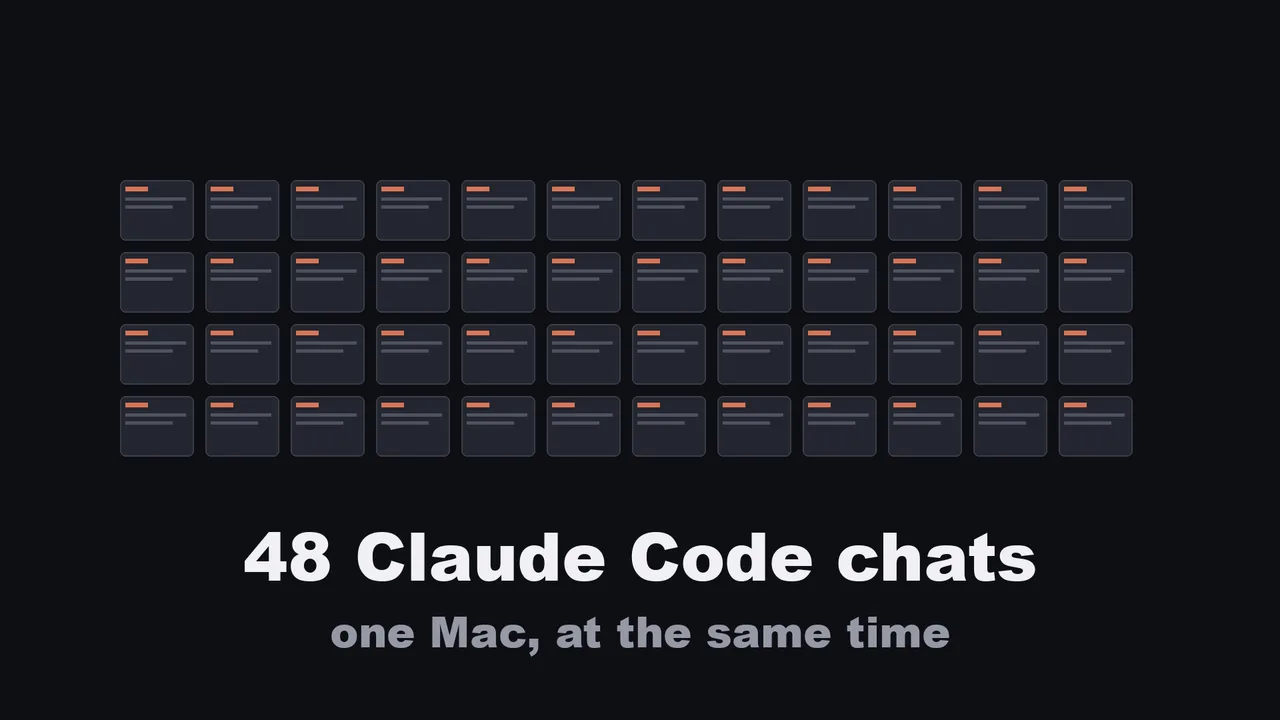
| Claude Code chats open at once | 48 | I counted on November 7. The video says 48. |
| Claude Code version on my Mac | 2.1.321 | claude --version, November 10 |
| Codex CLI version on my Mac | 0.164.0 | codex --version, November 10 |
| Codex session files, first look | 6,950 in the last 37 days | I counted on November 7 |
| Codex session files, recount | 8,471 in total | I counted ~/.codex/sessions on November 10. The oldest folder is 2026/09/16. |
| Image files Codex generated | 1,442 files in 1,420 folders | I counted ~/.codex/generated_images on November 10. The video says 221, from November 7. I could not reconcile the two, so trust today's count. |
The staff side is covered in two earlier articles, so I will not repeat it here. How 48 chats avoid colliding is in Running Multiple Claude Code Sessions. How a video gets built and checked without an editing app is in Automate Video Editing With Claude Code.
What matters for this article is only how the staff knows when to call the specialist. It knows because the instruction is written down in a skill.
What the official docs say about skills
A skill is a file named SKILL.md with a short header and instructions (Claude Code Docs, "Skills").
- A personal skill lives at
~/.claude/skills/<skill-name>/SKILL.mdand applies to all your projects. A project skill lives at.claude/skills/<skill-name>/SKILL.md. - All header fields are optional. Only
descriptionis recommended: "What the skill does and when to use it. Claude uses this to decide when to apply the skill." - Skill descriptions are loaded into context so Claude knows what exists. The full text loads only when the skill is invoked.
- The combined
descriptionandwhen_to_usetext is cut at 1,536 characters in the skill list, so put the main use first. - You can also run a skill yourself with
/skill-name.
That is why "when you need a drawing or a second opinion, call Codex" works without me asking. The description is what Claude reads to decide.
Moment 1: drawing
When a video needs an illustration or a thumbnail, Claude Code asks Codex to draw it. Codex signs in with my ChatGPT plan, so there is no per image API bill.
Here is the real detail from my own skill file.
The wrapper script is mine and is not published, but its core is one instruction line sent to codex exec:
Use the imagegen skill. Built-in image_gen tool path only.
Do not use the CLI fallback (no OPENAI_API_KEY required).
Three things I learned the hard way, all from notes in that skill:
- Drawing is not free. It uses up the ChatGPT plan's allowance, and my note says image generation uses it 3 to 5 times faster than ordinary chat. That is my own observation, not an official figure.
- One image takes one to three minutes, so set the command timeout to ten minutes. The default two minutes kills it halfway.
- If the call fails with "model is not supported", set another model through an environment variable. If it fails with "usage limit", the plan's allowance is used up. Wait. Do not switch to paid API billing.
My rule in that file: if a drawing fails, report the error and wait. Do not quietly retry.
Moment 2: checking a drawing
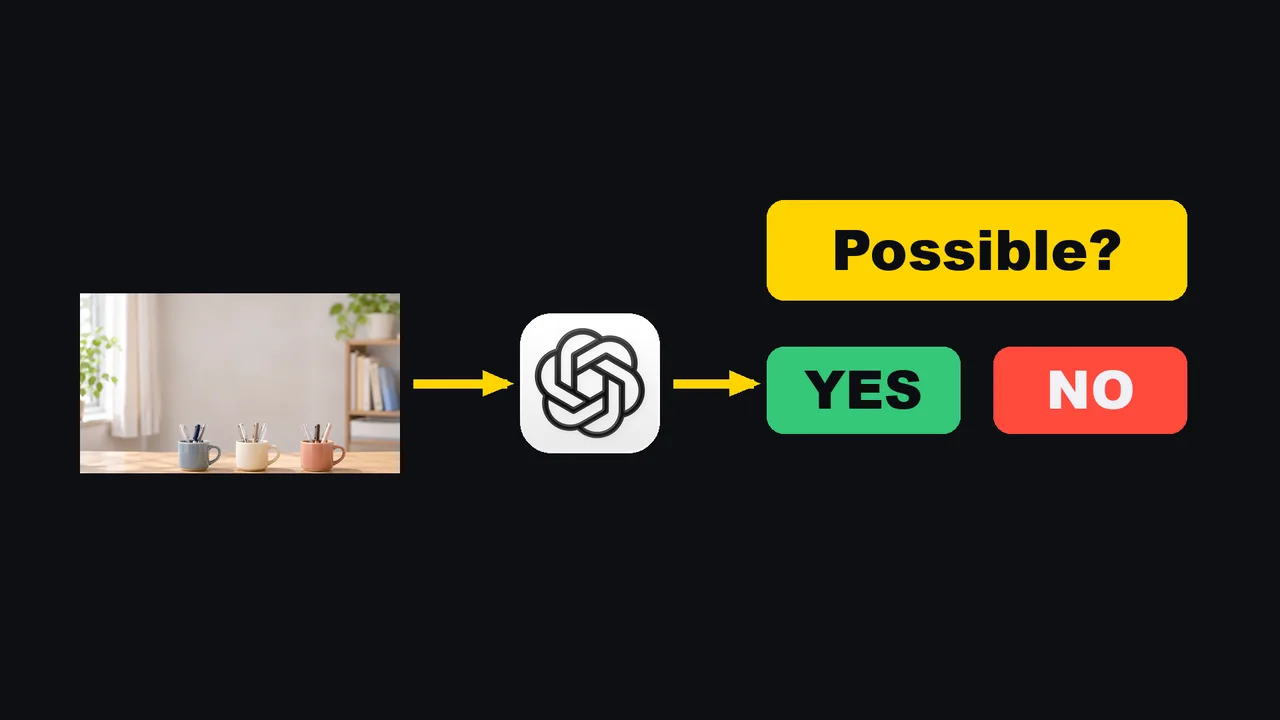
This one came from a real complaint. Drawings in my videos kept coming out wrong: a laptop with two lids, an Apple logo upside down, an iPhone with the wrong shape. Telling the model to be more careful did not fix it.
So now every drawing goes to Codex with one question: is this shape possible? If the answer is no, the drawing is redone, up to three times. A drawing that never passed the check cannot go into a video at all.
For the trickiest drawings, a third model, Google's Gemini, looks too. Two different checkers have different blind spots. Here is a real record from November 3, the check run on a drawing of laptops. The second checker rejected it:
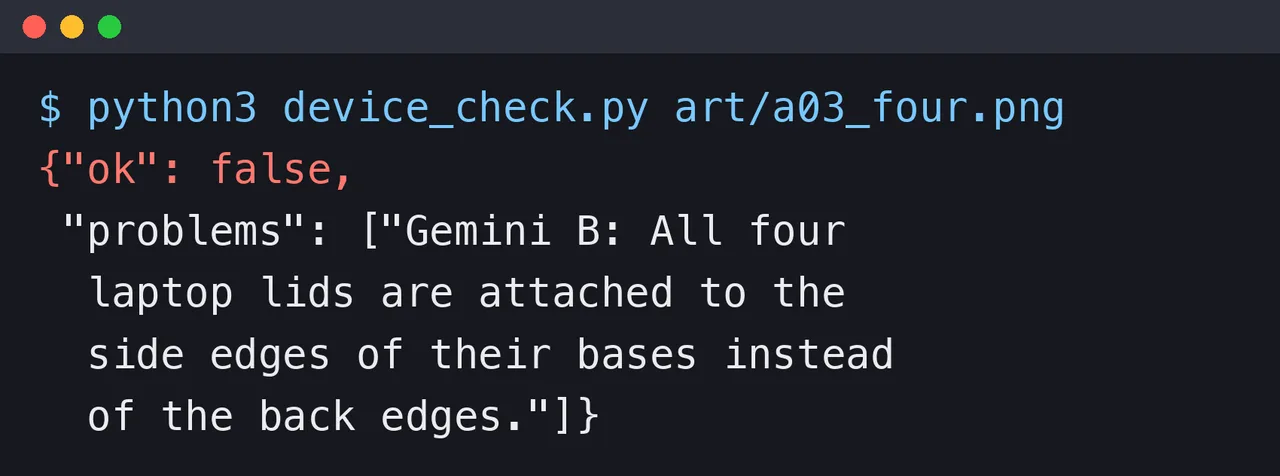
A prompt you can copy for the check. I wrote this version for the article. It has the shape of what I use, but I did not run this exact wording today.
Look at the attached image. It is meant to show: <what it should show>.
Answer with one line of JSON only:
{"ok": true or false, "problems": ["<what is physically impossible or wrong>"]}
Judge shapes only. Check that every object could exist: a laptop has one lid
attached to the back edge of its base, a logo is the right way up, a phone has
its camera and buttons in the right places. Do not judge style or taste.
Run it with codex exec -i image.png "<the prompt>".
The -i flag attaches an image. I confirmed it in the output of codex exec --help on version 0.164.0.
Then let a script read the JSON, and let the script count the redraws and stop at three.
The counting belongs in a script, not in the model's memory.
Moment 3: a second opinion
Before Claude Code makes a big call, such as how to build something, it asks Codex what is wrong with the plan. Sometimes Codex agrees. Sometimes it finds a hole. Either way, Claude Code reads the answer and decides, and I see the result. For the biggest calls, Claude Code asks three different models at once, Codex among them, and puts the answers side by side.
This is a slash command file of mine, ask-codex.md. The rules inside it, translated from Japanese:
- Codex has none of this conversation's context. Write a prompt that stands alone: the background, the current plan, and 3 to 5 specific questions.
- Say it out loud in the prompt: "No flattery. Disagree clearly where you disagree." Also: "Conclusion first." Also a length limit.
- Write the prompt to a file and pass the file. Long text pushed straight into the shell breaks on quotes.
- If Codex disagrees, report the disagreement. Do not bury it.
- Codex's opinion is input, not a decision. Check its reasons before accepting.
The command that runs it is the plain non interactive mode:
codex exec --skip-git-repo-check "$(cat /path/to/prompt.txt)" > /path/to/out.txt 2>&1
--skip-git-repo-check lets it run outside a git repository.
My file then pulls the final answer out of the log, because the log also holds working notes and token counts.
codex exec has a simpler way that I have not used in this setup: -o, --output-last-message <FILE> writes only the last message to a file.
It also has -s read-only, a sandbox mode that stops it from changing files, which suits a second opinion.
Both flags are in the --help output of the version on my Mac.
How Claude Code calls Codex
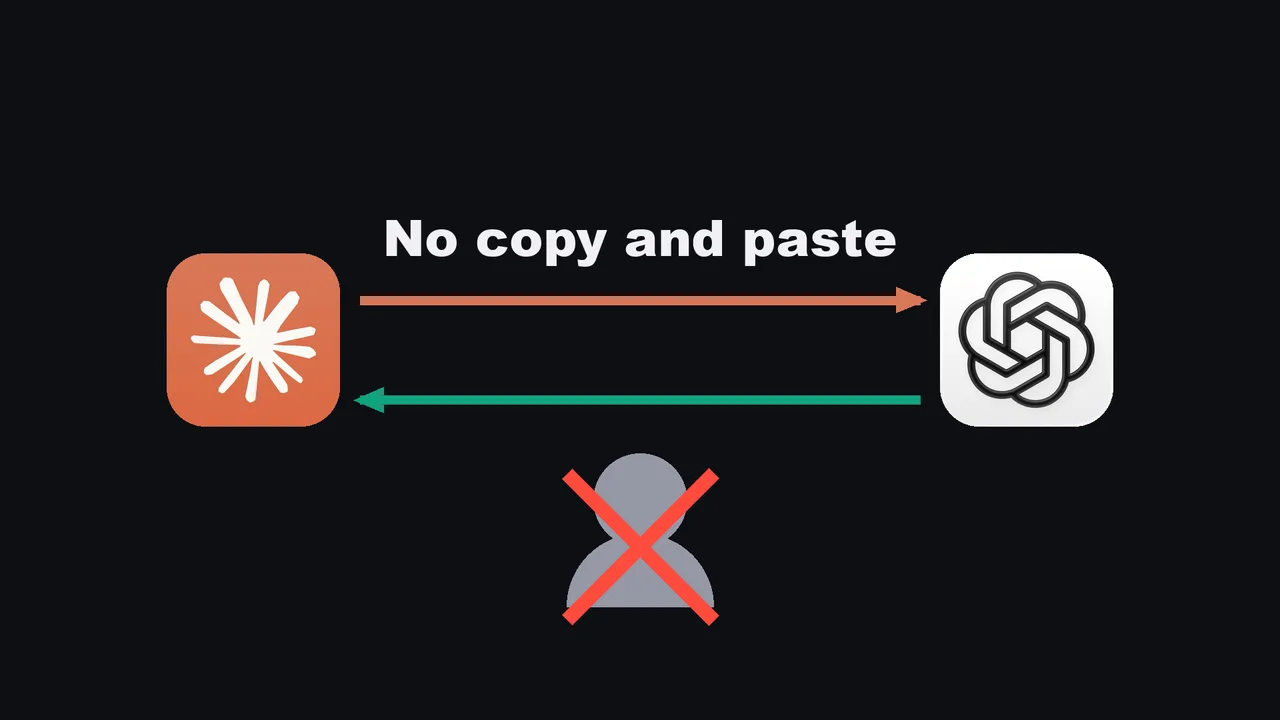
Codex runs on my Mac as a command, and Claude Code can run commands. So Claude writes the question, runs Codex, reads the answer and carries on. I am not the messenger between two windows.
Claude Code asks before it runs a shell command, unless you allow it.
The official permissions page gives the rule syntax. Put the * after the subcommand:
{
  "permissions": {
    "allow": [
      "Bash(codex exec *)"
    ]
  }
}
This allows codex exec calls and nothing else from the codex program.
Put it in .claude/settings.json for one project, or ~/.claude/settings.json for all of them.
Decide this on purpose. It means Claude Code can start Codex without asking you each time.
Plans and prices
Pages read on November 10, 2026. Prices change, so check the pages before you pay.
| Claude Code | Codex | |
|---|---|---|
| Free plan | Claude Free: not included | ChatGPT Free: included |
| Entry paid plan | Claude Pro: $20 a month, or $17 a month billed yearly ($200 up front). Claude Code included. | ChatGPT Go: $8 a month, Codex included. ChatGPT Plus: $20 a month, Codex included. |
| Higher plan | Claude Max: $100 a month. Claude Code included. | ChatGPT Pro: from $100 a month, in steps of $100, $200 and $500. The page says Pro plans currently have no five hour limit. |
| How limits are stated | Not read in detail for this article | Plus and Business: a range of local messages per five hours, which depends on the model and the task. The page sends you to your usage dashboard for the current numbers. |
| Pay as you go | Not covered here | An API key option bills at API prices instead of the subscription. |
Sources: claude.com/pricing and the ChatGPT pricing page, which is where the Codex pricing page now redirects.
What does that mean for the question "is it worth paying for both"? In my video, my answer is that the question is not the price of one tool. It is what the pair saves: every drawing I do not buy, every broken picture that never reaches a viewer, every bad plan caught before it is built. Without the pair, each of those lands on me: fixing pictures by hand, or finding a bad plan after it was built.
I have not measured how much of each plan's allowance I use, so I will not give you a break even number. If you want only one, start with the role you need most. If you hand off whole jobs, start with Claude Code. If you need help in moments, start with Codex.
The quick test: job or moment

Ask one question about any piece of work: is this a job, or a moment?
- A job has a start, many steps and an end. Make the video, close the books, run the blog. That is the staff.
- A moment is one question with one answer. Draw this. Is this right? What is wrong with this plan? That is the specialist.
- If the same moment comes back every single day, it has quietly become a job. Hand it to the staff, and let the staff call the specialist.
How to set it up in three steps
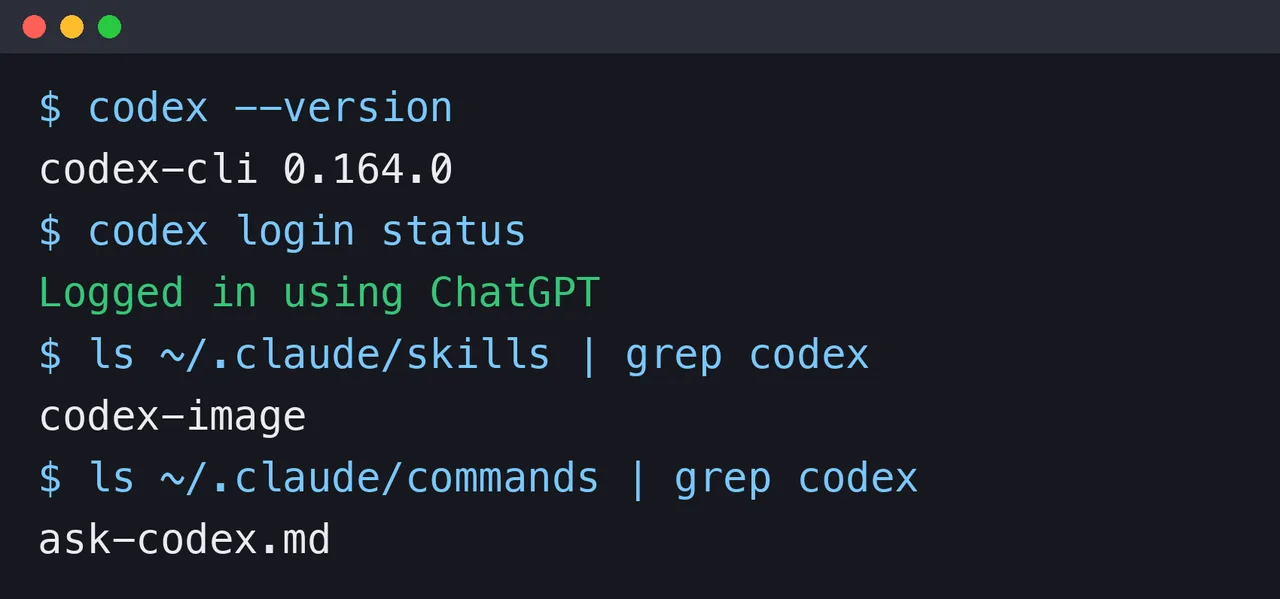
That screenshot is real output from my Mac: the Codex version, a login check that says it is signed in with ChatGPT, and the two files that tie Claude Code to Codex, one skill and one command.
Step 1: install Codex and sign in with your ChatGPT account. The official page lists this installer for macOS and Linux (it also lists Windows, npm and Homebrew):
curl -fsSL https://chatgpt.com/codex/install.sh | sh
Open a project folder and run codex. The first time, choose "Sign in with ChatGPT".
Check it later with codex login status.
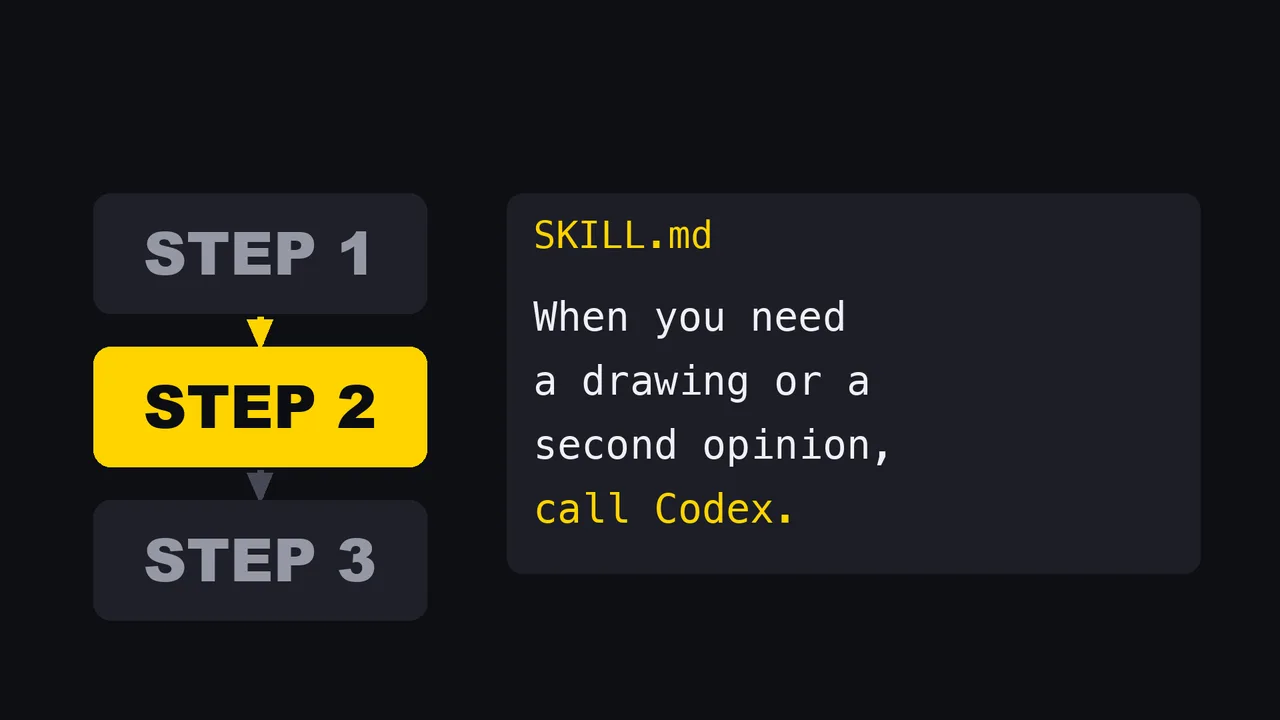
Step 2: write one skill in Claude Code.
Make ~/.claude/skills/ask-codex/SKILL.md. This is a minimal shape I wrote for the article, not my exact file:
---
name: ask-codex
description: Call Codex for a second opinion, or to check an image. Use before a big design decision, or when a picture must be checked for impossible shapes.
---

When you need a second opinion or an image check:

1. Write a prompt that stands alone. Codex has none of this chat's context.
   Include the background, the plan, and 3 to 5 specific questions.
   Tell it: no flattery, conclusion first, under 2000 characters.
2. Save the prompt to a file. Run:
   codex exec --skip-git-repo-check -s read-only -o /tmp/codex-answer.txt "$(cat <prompt file>)"
3. For an image check, add: -i <image file>
4. Read /tmp/codex-answer.txt. Report where Codex disagrees. Then decide yourself.
Step 3: give Claude Code a whole job, the way you normally would, and watch it call Codex when it reaches a moment.
Start with drawings or with one second opinion. It is the easiest one to see working, and you will know in one day whether the split makes sense for you.
What I did not test
- I did not run the same task through both tools and score them. That is what the comparison videos do, and it is not what I am arguing.
- I did not compare how well each one writes code. My staff chats do many things besides code, and I have no figures for it.
- I did not use Codex as the main driver, with Claude Code as the guest. I use it only in the direction described here.
- I did not read the Claude Code usage limits in detail, and I have not measured my share of either plan's allowance.
- Other tools that the search suggestions pair with these two (Cursor, Gemini CLI, GitHub Copilot, OpenCode) are not covered.
- The prompt for the drawing check and the skill file above are written for this article. The parts that come from my real files are marked as such.
Who this is not for
- If you use one tool for one kind of work, and it works, there is nothing to split.
- If you want a verdict on which model is better at a given benchmark, this is the wrong article. Use a comparison video.
- If you cannot say in one sentence what your jobs are, name them first. Calling a specialist does not help a job that nobody owns.
So, Claude Code or Codex? Give the jobs to your staff, call the specialist for the moments, and stop asking which one is better.
Sources:
- Claude Code Docs, "Skills" (code.claude.com/docs/en/skills), read November 10, 2026
- Claude Code Docs, "Configure permissions" (code.claude.com/docs/en/permissions), read November 10, 2026
- Claude pricing (claude.com/pricing), read November 10, 2026
- ChatGPT pricing, the page that the Codex pricing page redirects to (learn.chatgpt.com/docs/pricing), read November 10, 2026
- Codex CLI page (learn.chatgpt.com/docs/codex/cli), read November 10, 2026
- Output of
codex exec --helpon codex-cli 0.164.0, run on my Mac on November 10, 2026