 Hisashi Space
November 15, 2026 · 17 min read
How to Make Claude Not Sound Like AI: The Em Dash Problem and What I Do About It

Claude keeps using em dashes, and you keep asking it to stop. Every reply you paste into an email still reads like a machine wrote it.
I made a video about why asking does not work and the four checks I use now. This article has what the video has no room for: where my own rule was missing, what the official docs say about CLAUDE.md and hooks, working example scripts you can copy, what I ran today to test them, and what I did not test.

The short version
- Claude does not ignore your writing rules. It follows the rules that are in front of it at that moment, and a rule that is not there cannot be followed.
- My rule against long dashes existed, but it lived in only two places: a check on file saves, and one tool for my blog. It never covered email.
- The official docs say CLAUDE.md is "context, not enforced configuration". To block an action no matter what Claude decides, the docs point to a PreToolUse hook.
- Check 1: one rule in a shared CLAUDE.md that names no place. Check 2: a hook that blocks long dashes before a draft exists. Check 3: a phrase list with a replacement for every phrase. Check 4: a program, not the AI, supplies the date and checks the weekday.
- A check you have not seen stop something is a hope. Test it on purpose.
I have worked in IT for over 20 years and run my own company for 22. Every day, Claude writes my customer emails, my blog posts, and the scripts for about 12 videos. So when it slips, it is not one bad post. It is dozens of messages going out under my name. I am not a writer. I am a business owner who needs his messages to sound like him.
You are not the only one asking
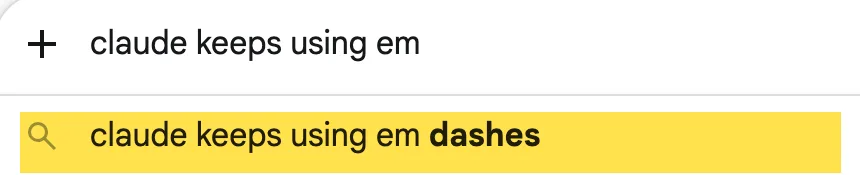

On November 8, 2026, I typed the start of these searches into Google (US) and YouTube. Google suggested "claude keeps using em dashes" and "how to stop claude from using em dashes". YouTube suggested "how to make claude not sound like ai". The top YouTube result for that last phrase was a video telling people to stop asking Claude to "humanise" their writing. It had 128,479 views when I checked with yt-dlp that day. Most of what I found in the top results was about how to word the request, or about add-ons that clean up the text afterwards. Those help. But almost all of them still depend on one thing: Claude remembering what you asked.
What happened to me
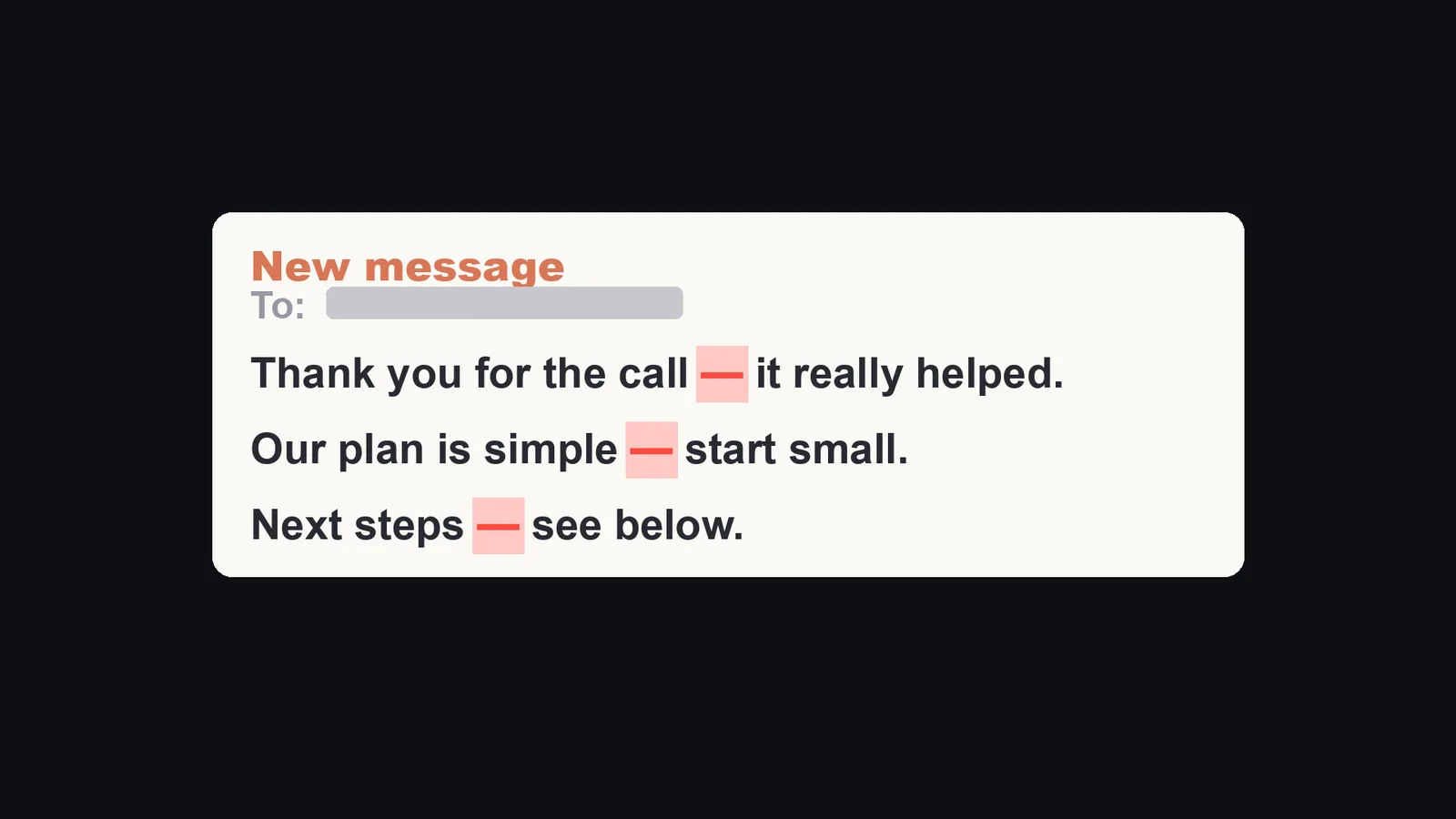
On July 16, I had Claude write an English email to a company, and it used long dashes all over it. I told it to fix them. It fixed them. Then it used them again in the same draft. I had told it the same thing about a hundred times. That number comes from my own incident note. So I stopped asking and looked at where my rule actually lived.
| Where the rule lived | What it covered |
|---|---|
A check in settings.json |
Only when Claude edited or wrote a file |
| A skill for one blog | Only articles for that blog |
| Everywhere else, including email | Nothing |
The rule existed. It never once covered email. So every time Claude wrote an email, my rule simply was not there.
Why asking does not stick
Here is what the Claude Code docs say, from the memory page I read on November 15, 2026:
- "Each Claude Code session begins with a fresh context window."
- CLAUDE.md files and auto memory "are loaded at the start of every conversation. Claude treats them as context, not enforced configuration. To block an action regardless of what Claude decides, use a PreToolUse hook instead."
- "CLAUDE.md content is delivered as a user message after the system prompt, not as part of the system prompt itself. Claude reads it and tries to follow it, but there's no guarantee of strict compliance, especially for vague or conflicting instructions."
- "If two instructions contradict each other, Claude may pick one arbitrarily."
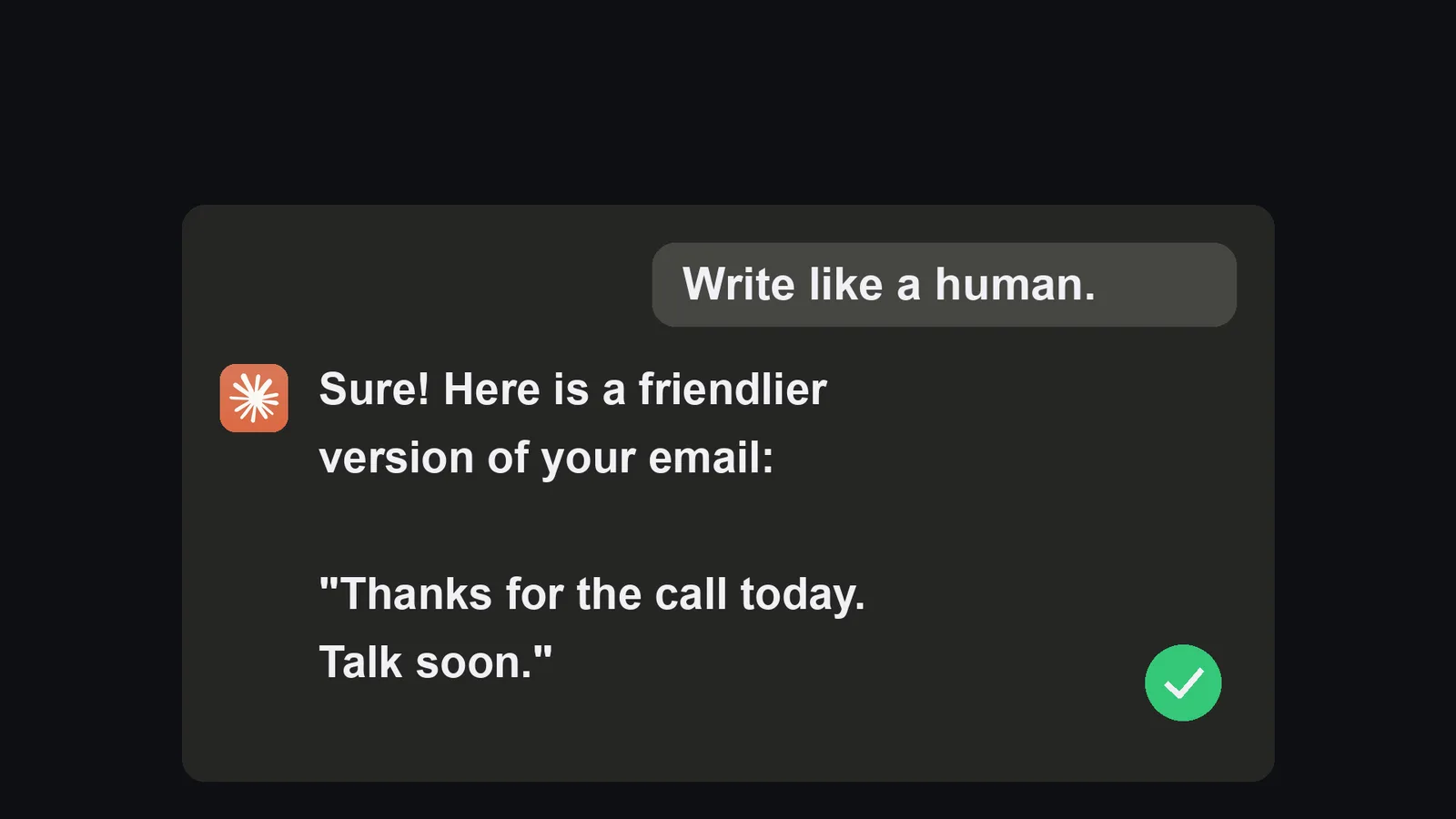
The docs do not say that a request fades as a chat gets longer. That part is my own experience, and I have not measured it. What I can say from the docs is this: a new session starts empty, and a rule written in a note is context, not a lock. So asking harder does not work. What works is putting the rule where it cannot be skipped.
Think of a busy office. Telling someone once in the hallway is a request. A lock on the door is a rule. Here are the four checks I use now.
Check 1: one rule, in the note Claude reads at the start of every chat
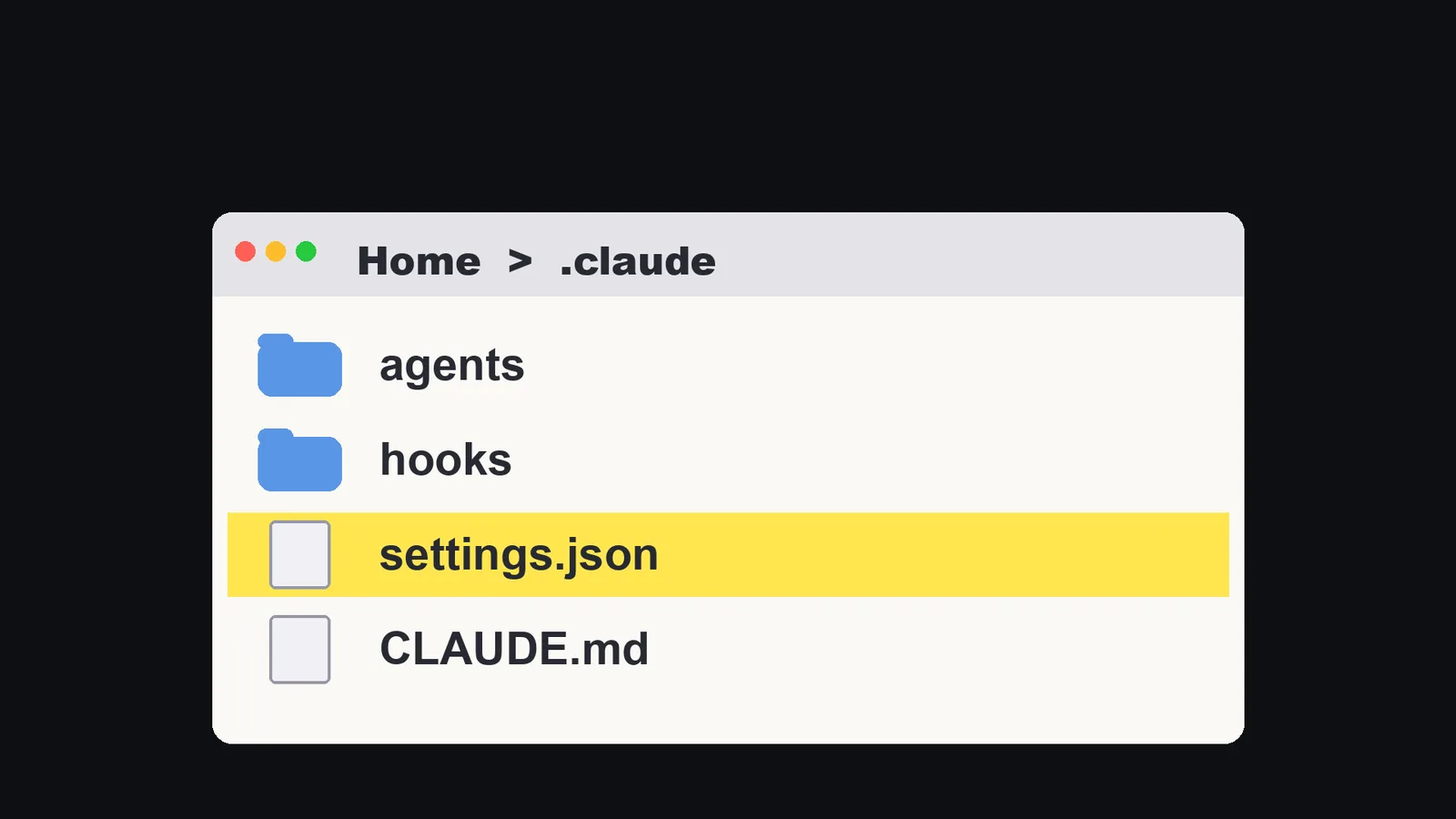
In Claude Code, that note is a file called CLAUDE.md. It is a plain text file with your rules in plain words.
The docs list where it can live. The one for "personal preferences for all projects" is ~/.claude/CLAUDE.md.
I keep one for all my projects. It says: no long dashes, anywhere, in any kind of writing. It also says: no bold text and no emoji in anything I will paste to a customer.
The key word is anywhere. My old rule named places. The new rule names none, so there is no gap to fall through.
Keep it in one shared file. If every project has its own, one of them will be missing the rule.
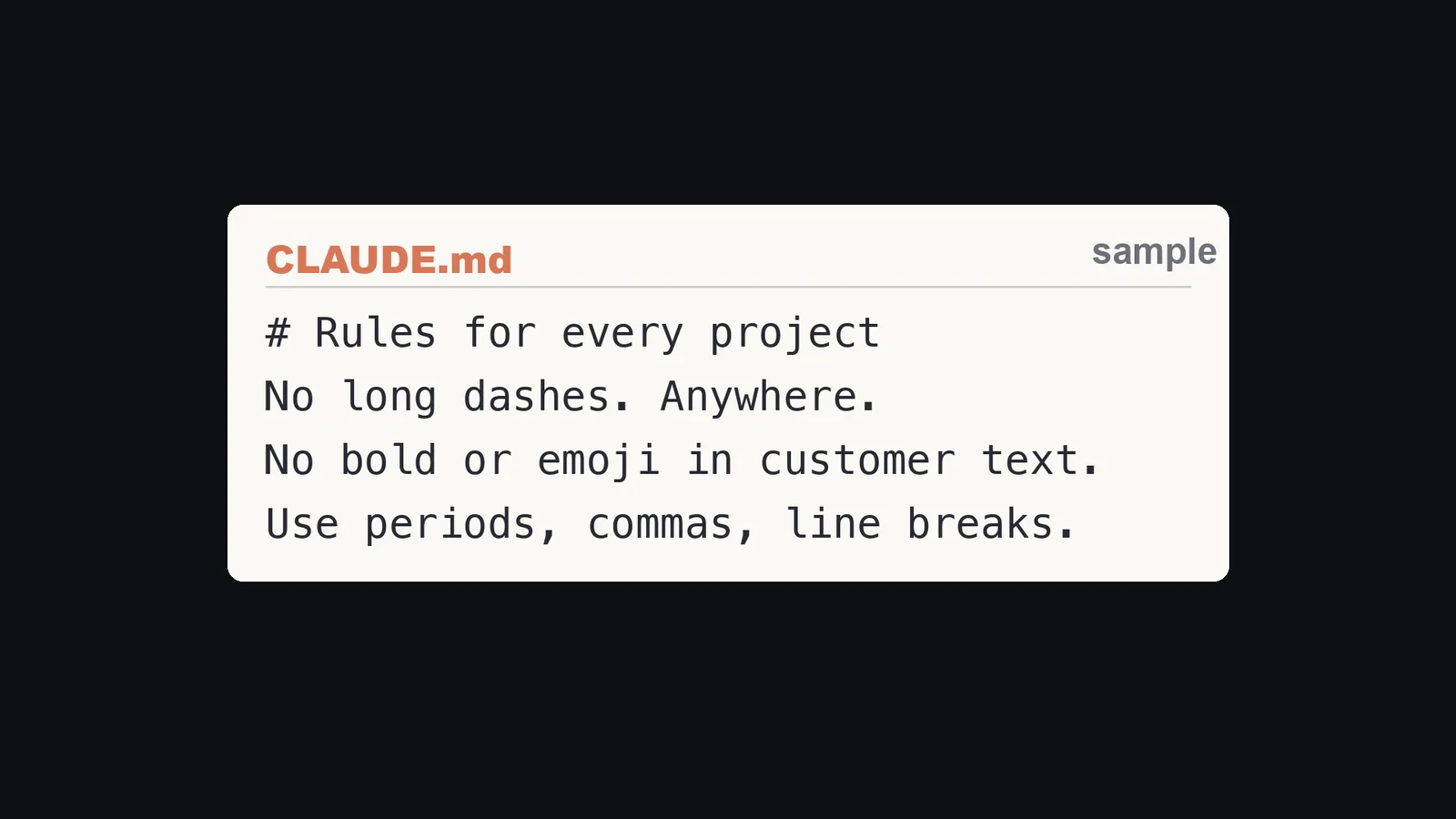
This is the shape of the section. It is an example written for this article, not a copy of my file.
# Rules for every project
No long dashes. Anywhere.
No bold or emoji in text that goes to a customer.
Use periods, commas, line breaks.
The docs give two points on how to write it. Make it specific enough to check ("Use 2-space indentation" works better than "format code nicely"), and keep each file under about 200 lines, because longer files "consume more context and reduce adherence". I write it in plain words, like I would tell a new hire. Short rules work better than long essays.
Check 1 alone is not enough. The docs say so themselves, and my own history shows it. Which is why there is a second check.
Check 2: a hook that stops the draft before it exists
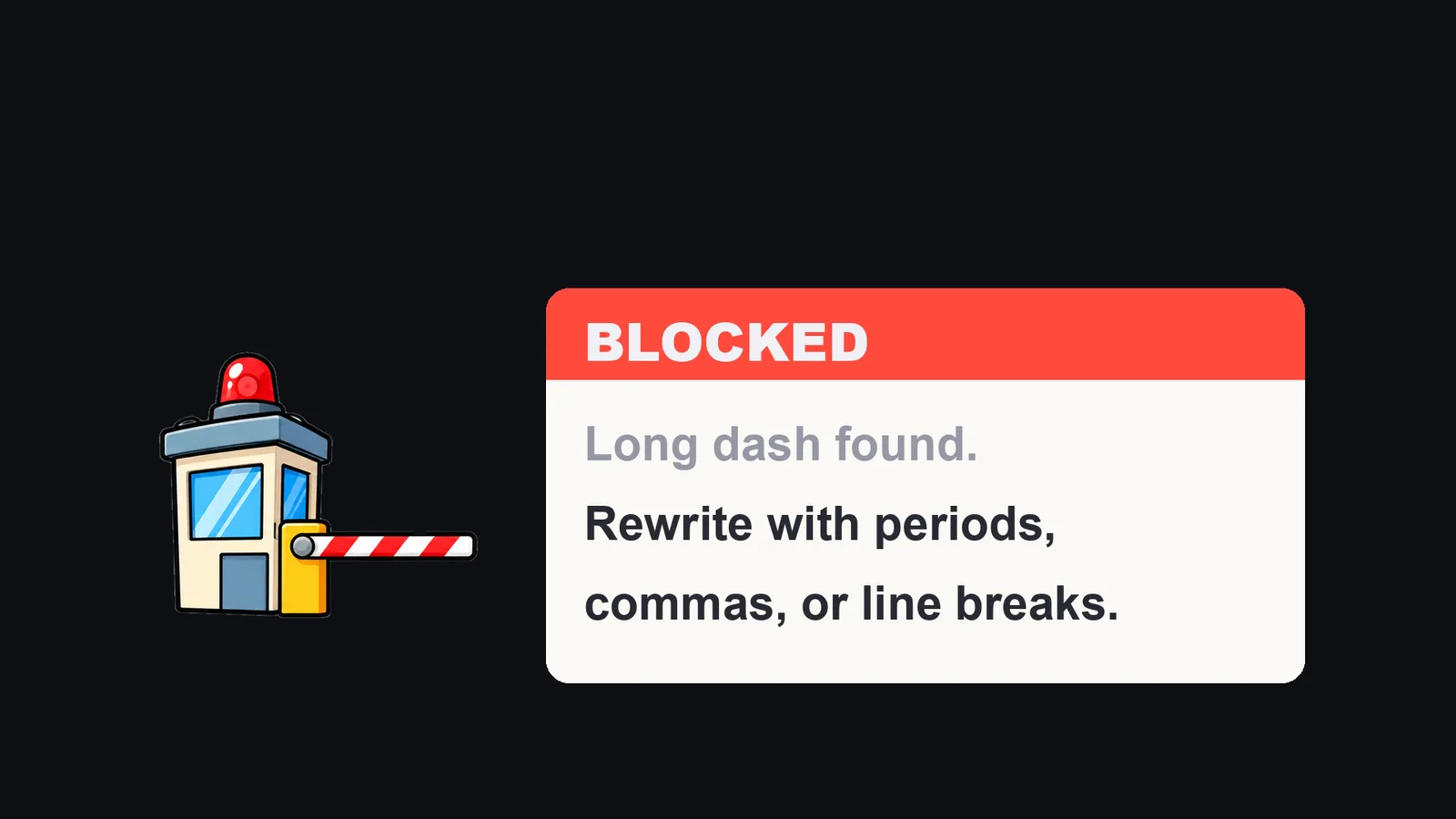
Claude Code calls these hooks: small commands that run at fixed points, such as right before Claude uses a tool. From the hooks page I read on November 15, 2026:
PreToolUseruns "before a tool call executes" and "can block it".- "Exit with code 2 to block the action." The message that comes with the block is the hook's stderr, and Claude is shown it.
- A hook can instead print JSON with
permissionDecisionset to"deny"and apermissionDecisionReason. "Claude Code reads the JSON decision, blocks the tool call, and shows Claude the reason." - In
settings.json, you choose an event, add a matcher, and define the command. The matcher filters which tools it applies to.
So a hook does not depend on memory at all. The check runs every time, whether Claude remembers your rule or not.
What mine does today, read from my own settings.json on November 15, 2026:
- Before Claude creates an email draft, hands a task to a helper, or publishes a page, the hook looks through everything Claude is about to send. If it finds any of four characters (U+2014, U+2013, U+2015 and U+2500), it denies the action and returns the reason.
- After Claude edits or writes a file, a second hook only warns. It does not block.
- My reason text says, in effect: dashes are banned in all writing, rewrite with periods, commas, line breaks, colons or parentheses, then run again.
The reason tells Claude the fix, not just the error. That is why it rewrites on the spot instead of guessing.
Here is a version you can copy. It is an example written for this article, not a copy of my hook (mine is a short shell command).
Save it as ~/.claude/hooks/block-dash.py. It builds the four characters with chr(), so the file itself holds none of them.
#!/usr/bin/env python3
import json
import sys

BAD = [chr(0x2014), chr(0x2013), chr(0x2015), chr(0x2500)]

data = json.load(sys.stdin)
text = json.dumps(data.get("tool_input", {}), ensure_ascii=False)

if any(ch in text for ch in BAD):
    sys.stderr.write(
        "BLOCKED: a long dash was found. Dashes are banned in all writing. "
        "Rewrite with periods, commas, colons, parentheses or line breaks, then run again.\n"
    )
    sys.exit(2)
Then add it to ~/.claude/settings.json. Add the name of your email tool to the matcher if you use one.
{
  "hooks": {
    "PreToolUse": [
      {
        "matcher": "Write|Edit|MultiEdit|Task",
        "hooks": [
          { "type": "command", "command": "python3 ~/.claude/hooks/block-dash.py" }
        ]
      }
    ]
  }
}
The matcher above is a list of tool names joined with |, which is the form my own entries use. Which names your email tool has depends on how you connect it, so check yours.
What this does not cover: it only sees what goes through a tool. The text Claude types into the chat to you is not a tool call, so this hook never sees it. Mine covers replies to me with a separate check at the end of each reply, for the phrase list in Check 3. A dash can still show up in a first try. It just cannot get past the check.
Check 3: a phrase list, with the replacement next to every phrase
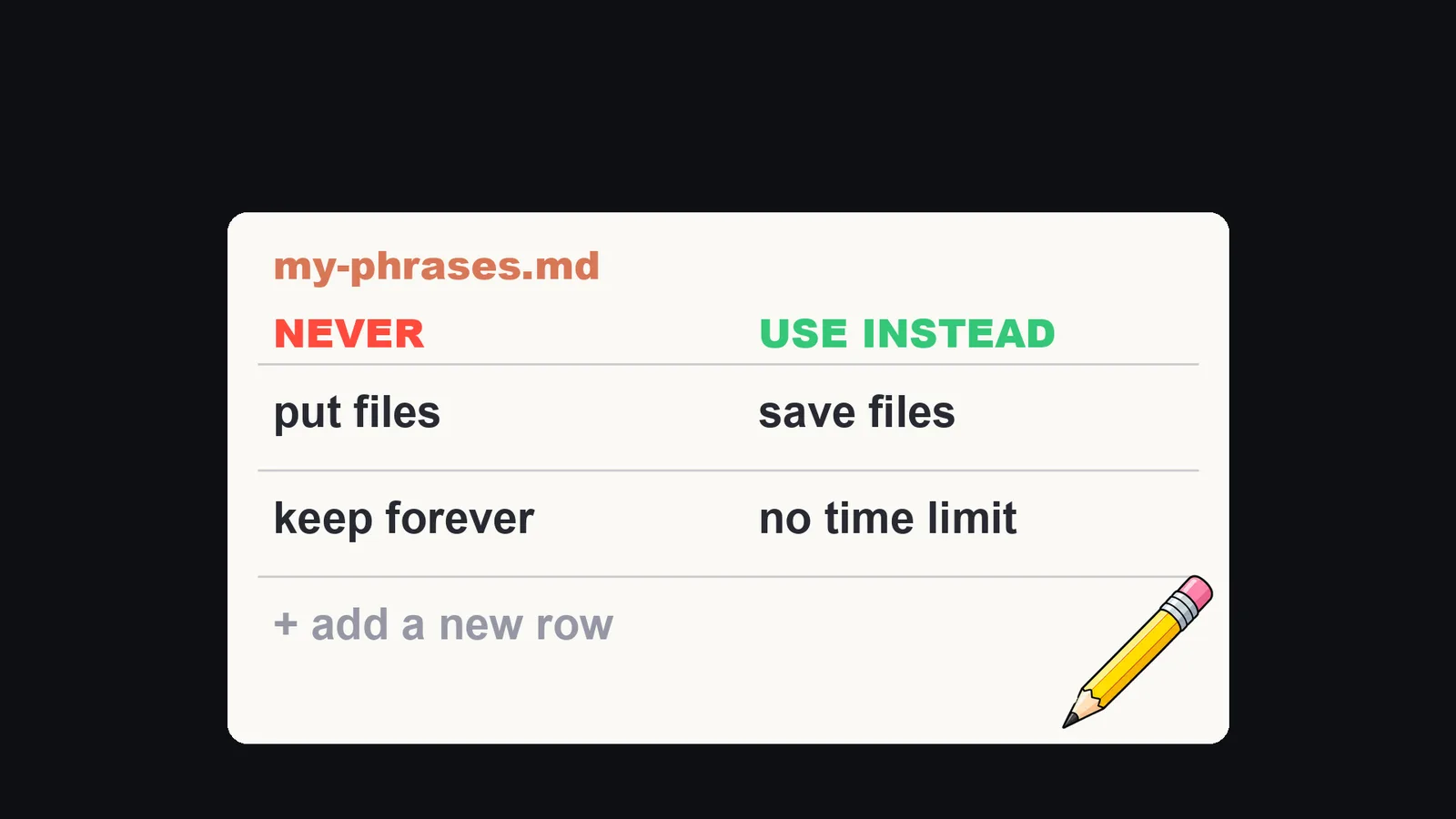
Long dashes are not the only thing that gives AI away. So I keep a list of phrases I never want a customer to see, and next to each one, what to use instead. Mine has ten rules right now. I counted them in my check script on November 8. Each one is a phrase that once sounded wrong to a customer, plus the right word. My customers read Japanese, so my real rules are Japanese phrases. This is the English version I showed in the video.
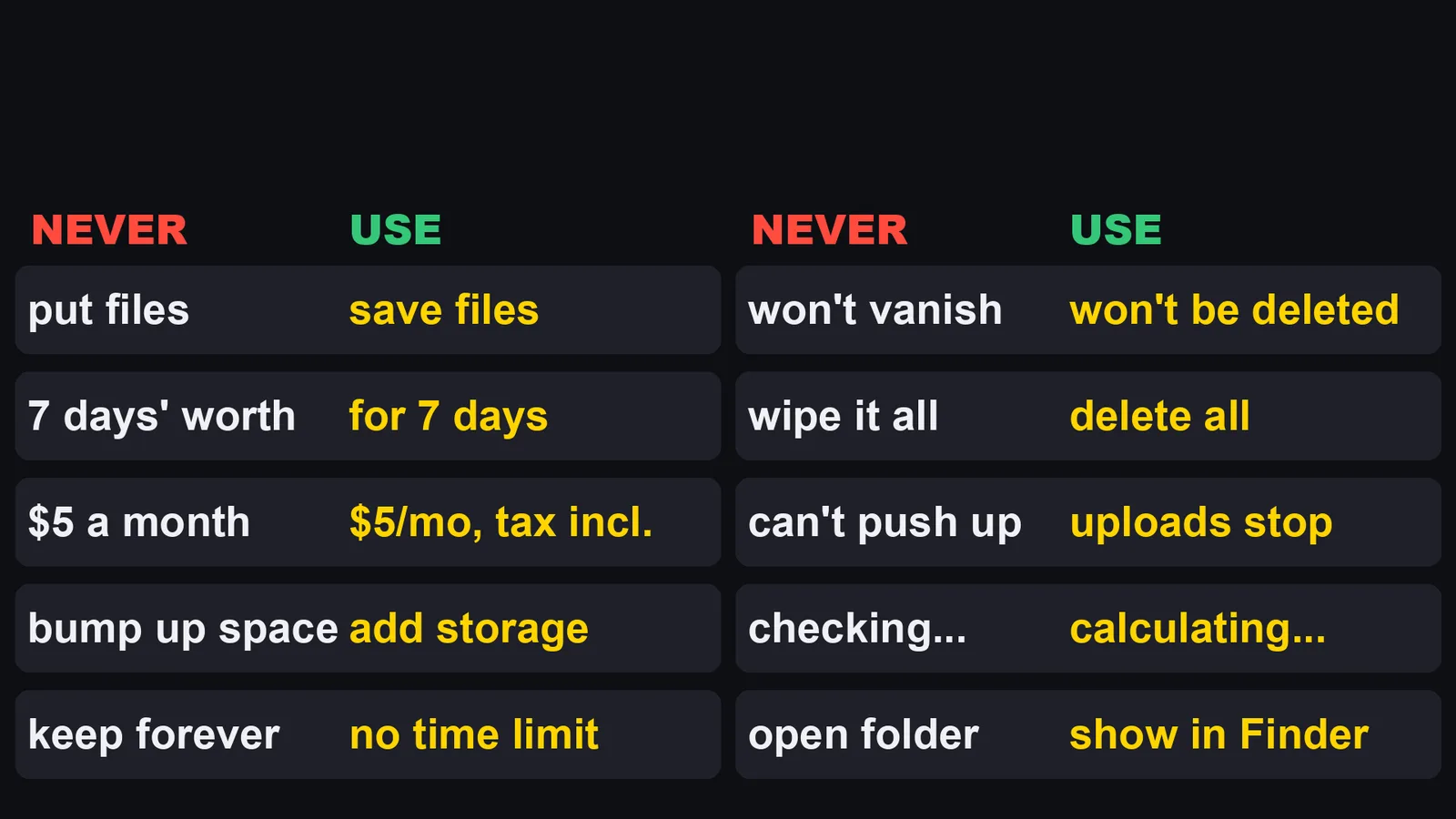
| Never | Use instead |
|---|---|
| put files | save files |
| 7 days' worth | for 7 days |
| $5 a month | $5/mo, tax incl. |
| bump up space | add storage |
| keep forever | no time limit |
| won't vanish | won't be deleted |
| wipe it all | delete all |
| can't push up | uploads stop |
| checking... | calculating... |
| open folder | show in Finder |
The check reads every draft, and even Claude's replies to me. If a phrase from the list shows up, Claude has to rewrite it. The trick is the replacement. If you only say "don't", the AI picks another bad word. If you give it the right word, it uses that. Two details from my script that save trouble:
- A line that is talking about the rule itself, such as the rule file, is skipped. Otherwise you could not write the rule down.
- In the check on replies to me, a phrase inside quote marks is ignored when I am quoting it to argue about it, so "never write X" does not trip the check.
A small version you can copy. It is an example written for this article. Save it as ~/.claude/hooks/phrases.py and add it to the same matcher as Check 2.
#!/usr/bin/env python3
import json
import re
import sys

# (pattern, what to use instead)
BANNED = [
    (r"put files", "save files"),
    (r"\bkeep forever\b", "no time limit"),
]

data = json.load(sys.stdin)
text = json.dumps(data.get("tool_input", {}), ensure_ascii=False)
hits = [(m.group(0), fix) for pat, fix in BANNED for m in [re.search(pat, text)] if m]

if hits:
    lines = ["Rewrite these phrases, then run again:"]
    lines += [f'  "{bad}" -> use: {fix}' for bad, fix in hits]
    sys.stderr.write("\n".join(lines) + "\n")
    sys.exit(2)
Every time a draft makes you wince, tell Claude to add the phrase and the fix to this list.
For sentences a list cannot catch, my script has a second step. It sends the sentence to a second AI model and asks one question only: does this contain casual spoken language? Two numbers from my script: it only asks about text of 40 characters or more, and it sends the draft back for a rewrite when the score is 0.55 or higher. If the service has no key or is down, the check passes silently. The rule I follow: code decides what words can decide. The model is asked only the one question that needs reading the meaning. It is a probability, so I treat it as a net, not a wall.
Check 4: do not let the AI guess dates
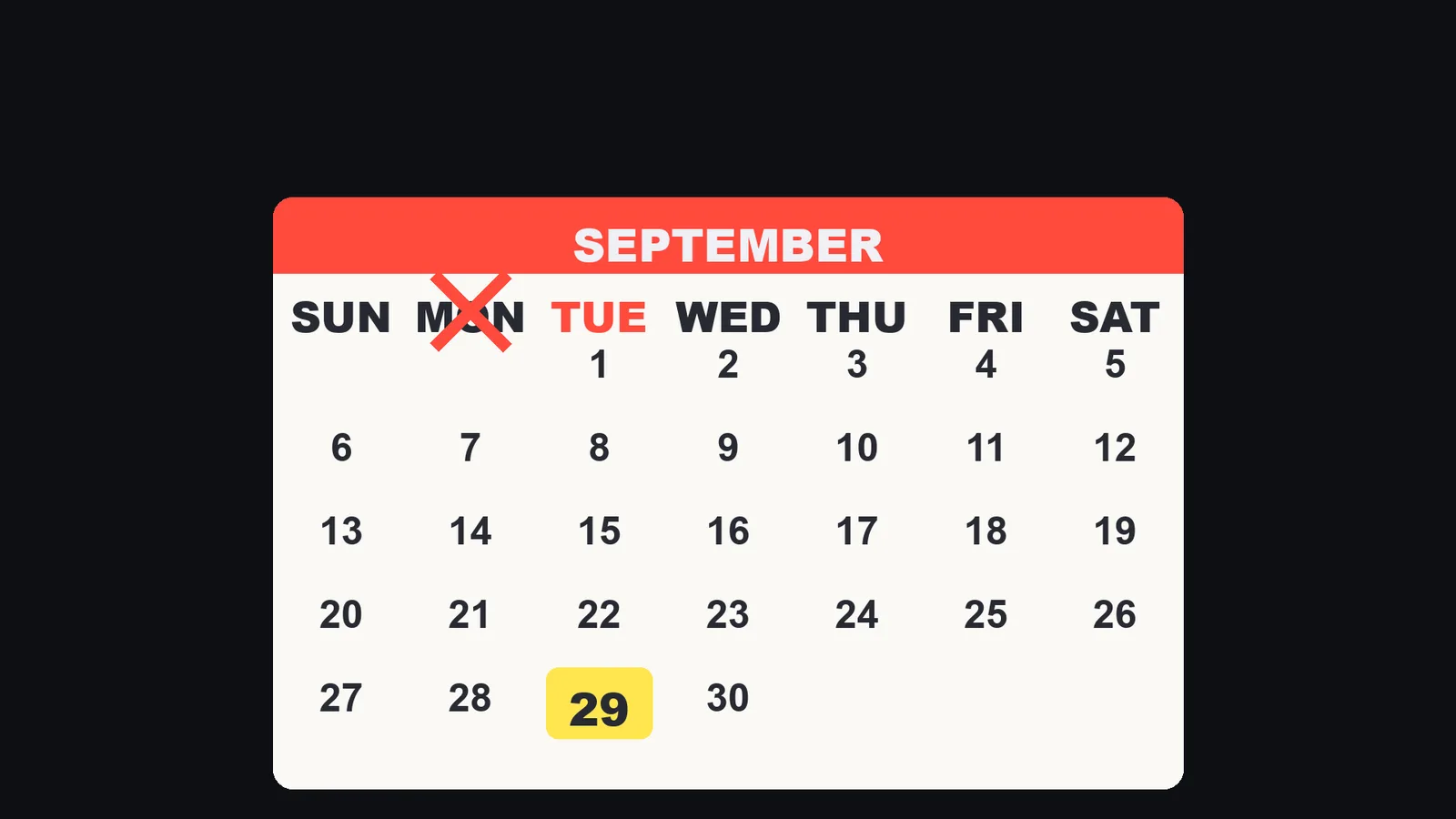
Nothing makes writing look more like AI than a fact that is slightly wrong. On September 25, I had Claude write a press release delivery date as "Monday the 29th". September 29 that year was a Tuesday. It got the time right, because it read the time from my computer. Then it added the weekday by guessing. A reader may not know why, but one wrong weekday makes them doubt every other line. So now the AI does not work out dates. A small program does it, in two parts:
- At every message I send, a hook hands Claude the current date and time and a table of the next two weeks with the weekday for each day. It says to take dates and weekdays from the table, and not to do the arithmetic itself.
- At the end of every reply, a second hook looks for any date written with a weekday, checks it against the real calendar, and if it is wrong, sends the reply back to be rewritten.
This is what the first hook hands over. I ran it on my Mac on November 15, 2026. My hook is written in Japanese, so I translated it:
It is now 2026-11-15 (Sun) 00:49 JST.
Next two weeks: 11/15 (Sun) today, 11/16 (Mon) tomorrow, 11/17 (Tue), 11/18 (Wed), ... 11/29 (Sun)
Take dates and weekdays from this table. Do not do the arithmetic yourself.
The hook output has the shape of additionalContext for the UserPromptSubmit event. The docs say the additionalContext value is added to Claude's context alongside the submitted prompt.
The checking half can be small too. The function below is an example written for this article, for English dates written like "Monday, September 29, 2026". My own hook matches the Japanese way of writing a date. It reads the reply text from stdin.
#!/usr/bin/env python3
import datetime
import json
import re
import sys

MONTHS = ["January", "February", "March", "April", "May", "June", "July",
          "August", "September", "October", "November", "December"]
DAYS = ["Monday", "Tuesday", "Wednesday", "Thursday", "Friday", "Saturday", "Sunday"]
PAT = re.compile(r"(%s),? (%s) (\d{1,2})(?:st|nd|rd|th)?,? (\d{4})"
                 % ("|".join(DAYS), "|".join(MONTHS)))

text = sys.stdin.read()
bad = []
for m in PAT.finditer(text):
    day = datetime.date(int(m.group(4)), MONTHS.index(m.group(2)) + 1, int(m.group(3)))
    real = DAYS[day.weekday()]
    if real != m.group(1):
        bad.append(f'"{m.group(0)}" is a {real}')

if bad:
    print(json.dumps({"decision": "block",
                      "reason": "Weekday does not match the calendar: " + "; ".join(bad)}))
To run it at the end of every reply, you attach it to the Stop event. My own version finds the last reply by reading the session transcript file that the hook is given. I have not tested that wrapper in the form shown here, only the function above.
Same idea for links and dates in my posts: the AI writes the words, and a program fills in the facts.
A humanizer prompt versus a check
| A humanizer prompt or add-on | A check | |
|---|---|---|
| What it is | A request | A program that runs at a fixed point |
| When it works | Until the chat gets long, or until you open a new one | Every time, whether Claude remembers or not |
| What Claude gets | Your wish | The fix, not just the error |
| If it fails | You do not notice until a reader does | The action is stopped and Claude rewrites |
A check does not get tired, and it does not get polite. You can still use a humanizer. Just put a check behind it.
Set it up today, without writing code
You do not have to write the scripts above yourself. Claude Code can add all four for you. This is the prompt from the video description. Paste it into Claude Code:
Please set up these writing rules for me.
1. Add a rule to my CLAUDE.md: Never use long dashes (em dashes) in any writing. Use periods, commas, or line breaks.
2. Add a check to my settings file (~/.claude/settings.json) that blocks any email draft with a long dash, and tells you to rewrite it with periods, commas, or line breaks.
3. Create a phrase list file with two columns, "Never" and "Use instead". Every time I give you a phrase I don't like, add it with the fix.
4. Never guess dates. Get today's date from my computer, and check every weekday against the real calendar before you write it.
When you are done, write a test email with a long dash on purpose and show me that the check stops it.
Your settings file is settings.json in the .claude folder inside your home folder. Claude adds the check there.
Test it, on purpose
A check you have not seen stop something is just a hope. I test every time I add a new check. Here is what I ran on November 15, 2026. I fed each script the same kind of input the hook system sends: a JSON object with the tool input.
| Test | Input | Result |
|---|---|---|
Dash hook, my real command from settings.json (reason text shortened for the test) |
A task prompt with a long dash | Deny returned |
| Dash hook, my real command | The same sentence, written with a period | No output, passes |
| Phrase check, my real script, run on a Japanese sample | "7日ぶん" (7 days' worth) | Denied, with the fix "7日間" in the reason |
| Phrase check, my real script | "7日間" (for 7 days) | Passes |
| Date hook, my real script, at the start of a message | (none) | Today's date and a two-week table |
| Example dash script from this article | A draft with a long dash | Exit code 2, reason on stderr |
| Example phrase script from this article | "Customers can put files here." | Exit code 2, "put files" -> "save files" |
| Example weekday script from this article | "Monday, September 29, 2026" | Block, "is a Tuesday" |
| Example weekday script from this article | "Tuesday, September 29, 2026" | Passes |
If it does not stop, the check is not working yet. Fix it before you trust it. In your own setup, ask Claude to write an email with a long dash on purpose, and watch the check stop it.
What I did not test
- I did not measure how much less AI-sounding my writing is with these checks. I have no before-and-after count of dashes or phrases.
- I did not test whether readers notice the difference.
- "About a hundred times" is my own count from my incident note, not a log I counted again for this article.
- I did not test how a request in a chat fades over a long chat. That is my experience, and the docs do not say it.
- The humanizer add-ons and prompts in the search results: I did not install or test them. I only read the titles and counted views.
- The four example scripts in this article were tested only as shown above, on my Mac, on November 15, 2026. I did not run the
Stopwrapper for the weekday check in the form shown. - My own hooks are written for my setup, in Japanese for Japanese customers. I did not test the English versions in daily use.
- I did not test other hook events, other tools' matchers, or Windows.
- The second-AI check gives a score, so it will miss some phrases and flag some fine ones. I did not measure how often.
Who this is not for
- If you only use Claude to think and never paste its words anywhere, there is nothing to fix.
- If you want a tool that proves a text was or was not written by AI, this article cannot give you one.
- If you cannot change your own settings file, for example on a managed company machine, check with whoever manages it first.
So, why does Claude keep sounding like AI after you ask it not to? Asking Claude to sound human is a wish. A check is a rule it cannot skip.
Sources:
- Claude Code Docs, memory page (code.claude.com/docs/en/memory), read November 15, 2026
- Claude Code Docs, hooks reference (code.claude.com/docs/en/hooks), read November 15, 2026
- Google (US) and YouTube search suggestions and top results for the phrases above, checked with yt-dlp, November 8, 2026
- My own
settings.json, hook scripts and incident note on my Mac, read and run November 15, 2026